
YouVersion Bible App + Audio
Life.ChurchBooks & Reference
4.9597.03K Reviews
- Version
- 11.34.1+7098322
- Installs
- 100.00M
- Age Rating
- Teen
Screenshots
Our Review of YouVersion Bible App + Audio
 Analysis by Appyee
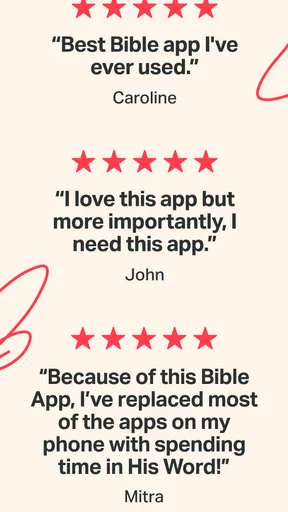
I often reach for a Bible app when I have a few spare minutes but no book with me, or when I want to listen rather than read. YouVersion Bible App + Audio, made by Life.Church, is built around those everyday moments: opening a passage, finding a short devotional, or picking up a reading plan without needing a separate study tool. It is free, and its broad appeal is reflected in an average rating of 4.9 from around 8.6 million ratings. My impression is that it works best as an easy starting point for a regular habit, rather than as a replacement for every kind of Bible study.
From a spare moment to a reading routine
The practical workflow is simple. I open the app with a rough idea of what I need—perhaps a daily reading, a particular passage, or something I can listen to while travelling—and then choose the format that fits the moment. The clean interface helps keep that first step manageable. I don’t have to treat every visit like a formal study session; a few minutes with a verse or devotional can be enough when that is all the day allows.
Choosing how to engage
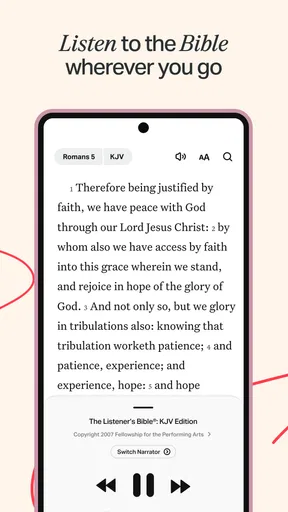
The app brings together Bible versions, audio, devotionals, and plans. That combination matters because reading and listening suit different parts of a day. I might read quietly when I can focus, then switch to audio during a walk or commute. For someone trying to establish a routine, changing the format can make it easier to keep going when the usual reading window disappears.
A useful approach is to decide what kind of attention you have before opening it. If I’m distracted or short on time, I can choose a small devotional or a brief passage instead of starting a long session I’m unlikely to finish. If I want to explore a topic or book more deliberately, a plan offers a path through the material. That choice gives the app a little more structure than simply opening a digital Bible at random.
Making a reading personal
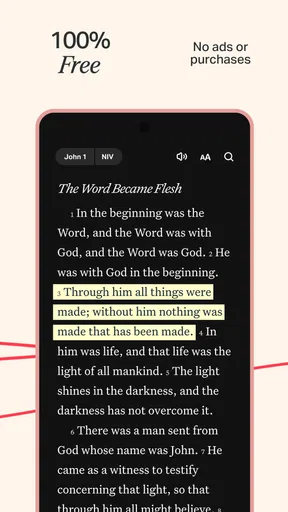
Highlights and notes are useful when I want to remember why a verse stood out, rather than merely save it and forget it. I can also make verse images to share. My tip is to keep notes specific: a question, a connection to something I’m dealing with, or a thought to revisit later. That makes annotations more useful than marking every passage and leaving myself a crowded screen.
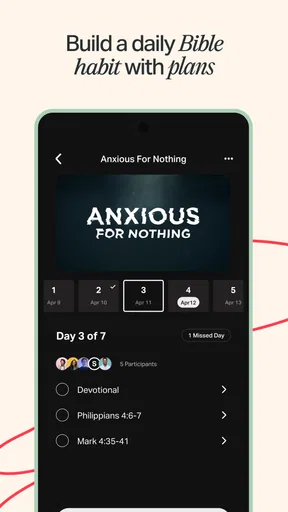
Plans can also help with follow-through, but they work best when I choose one that matches the time and attention I can realistically give. Starting several at once can turn a helpful prompt into a backlog. I’d pick one plan, try it for a few days, and adjust if its pace or subject does not fit. The app is flexible enough for casual use, but a little restraint makes the routine feel more personal and less like another checklist.
Audio, offline reading, and the handoffs
Audio is not just a substitute for reading; it changes where the app fits. I can listen while moving around, then return to a passage on screen when I want to slow down or make a note. That handoff between listening and reading is one of the most practical parts of the experience. Audio is less suited to moments when I need to compare wording closely or pause often, so I would switch back to text for that kind of attention.
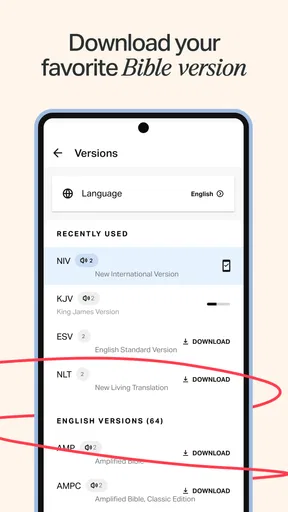
Offline access is valuable when a connection is unreliable or when I want to put my phone into a less connected routine. The important step is preparing before leaving: download the Bible version I expect to use while I still have access to a connection. I would not assume every part of the app behaves identically offline; the dependable use case is having a downloaded version available for reading. That makes the feature especially helpful for travel, retreats, or a commute with patchy service.
Sharing without making it the point
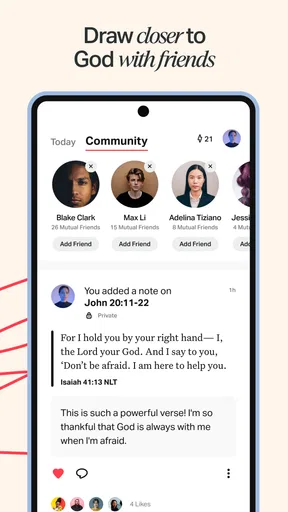
For readers who like discussing passages, connecting with friends and sharing verses can carry a reading into a conversation. It is an optional handoff, not something I think everyone needs. I’d use it when I have a specific thought to share, rather than letting the social layer distract from reading. If I prefer a private, quiet practice, I can focus on the text and leave those interactions aside.
That distinction is worth considering before connecting with friends: sharing can add encouragement, but it also makes the experience more social than a paper Bible or a basic reader. People who want a solitary study space may prefer not to use that side of the app. The ability to highlight and make notes still has value on its own, so personalization does not depend on sharing anything publicly.
Where it fits among other Bible tools
Compared with a printed Bible, this app is easier to carry alongside audio, plans, and personal annotations, but a physical book can be less distracting and more comfortable for extended reading away from notifications. Compared with a simple Bible reader, YouVersion offers more ways to build a routine and share reflections; that breadth is helpful if I want devotional material and audio in one place. If I mainly need a quiet text for close study, a simpler reader or a printed edition may be a better fit.
The app is a particularly good choice for someone new to Bible apps, someone who wants listening as well as reading, or anyone who benefits from a daily prompt. It is also approachable for a household or group that wants to share verses and reading ideas. A reader who wants a highly focused academic study workflow, or who finds social and devotional extras distracting, may prefer a dedicated study resource alongside—or instead of—this broader app.
What to expect from regular use
A realistic routine might be opening a devotional with breakfast, listening to a passage on the way out, and saving one verse or question to revisit later. The benefit is not that every session becomes profound; it is that the next step is easy to find. I would keep the routine modest at first, then add a plan or notes only when I know they help. That keeps the app from turning a small moment of reflection into a complicated task.
There is a trade-off in having so many options. If I arrive without a purpose, I can spend more time choosing what to read than actually reading. The fix is simple: decide whether I’m here for a passage, a plan, audio, or a devotional before browsing. The app offers several routes into the material, but it cannot choose the right one for me. Its flexibility is a strength when I have a clear intention and a source of friction when I do not.
Offline reading also takes a little planning, while audio is best when listening suits the situation. Those are practical limits rather than reasons to avoid the app, but they affect how I would use it. If I need to focus on exact wording, I’d read; if I’m walking, I’d listen; if I expect to be disconnected, I’d prepare the text beforehand. Matching the feature to the moment makes the experience smoother.
A measured recommendation
YouVersion Bible App + Audio has reached over 100 million installs, and it is rated for teens. It is currently at version 11.14.7+7085925 and requires Android 7.0 or later. Those details make it accessible to a wide range of Android users, while the free price removes the cost barrier to trying it. The large audience is a sign of broad appeal, though it does not mean every reader will want the same mix of social tools, plans, and devotional content.
My overall recommendation is to try it if you want one approachable place for reading, listening, and building a repeatable habit. Start with one passage or devotional, save only the notes that you’ll genuinely revisit, and download a version before you expect to be offline. If your priority is uninterrupted deep study, use the app selectively or choose a more focused alternative. For everyday reading that can flex around a busy schedule, it is a useful companion that makes the next small step easy.
First impressions
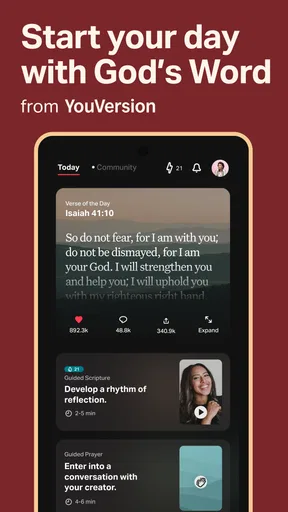
When I first opened the YouVersion Bible App + Audio, I was greeted with a super clean and user-friendly interface. Seriously, it’s like this app was designed to just get out of your way and let you dive right into the good stuff. Whether you’re a tech newbie or a seasoned smartphone pro, navigating through this app is a breeze.
Features Galore
Okay, so let’s talk features. This app is not just a digital Bible; it’s a full-on multimedia experience. You’ve got access to various versions of the Bible, and if you’re like me and sometimes prefer to listen instead of read, the audio feature is a game-changer. Just pop in your earbuds and get your inspiration fix while you’re on a jog or commuting.
One of my favorite features has to be the daily devotionals. It’s like having a little nudge every morning to start your day on a positive note. Plus, there are plans you can follow if you want to dive deeper into specific topics or books.
Community & Sharing
Now, if you’re someone who loves to share insights or discuss passages with friends, the social aspect of this app is pretty neat. You can connect with friends, see what they’re reading, and even share your favorite verses with them. It’s like a mini spiritual social network.
Customization & Personalization
Customization is key, and this app doesn't disappoint. You can highlight verses, add notes, and even create verse images to share on your social media. Whether you’re a visual learner or someone who loves to annotate, the app gives you the tools to make your study as personal as you want it to be.
Offline Access
Another huge plus is the offline access. Once you download a version, it’s there with you, even when you’re off the grid. So, if you’re going on a retreat or just trying to disconnect for a bit, you won’t miss out on your daily readings.
All in all, the app is a fantastic tool for anyone looking to grow spiritually. Whether you’re reading for personal growth or just exploring, this app offers a wealth of resources right at your fingertips.
So, if you haven’t checked it out yet, give it a try. It might just become your go-to spiritual companion. Happy reading!
Privacy and Permissions
See what permissions an app requests and how it handles your data.
- Contacts
- read your contacts
- Location
- approximate location (network-based)
- Photos/Media/Files
- read the contents of your USB storage, modify or delete the contents of your USB storage
- Storage
- read the contents of your USB storage, modify or delete the contents of your USB storage
- Wi-Fi connection information
- view Wi-Fi connections
- Other
- view network connections, full network access, run at startup, prevent device from sleeping
Verdict
Strengths of YouVersion Bible App + Audio
- Extensive version variety available.
- Daily devotionals keep users engaged.
- Offline access for reading on the go.
- Customizable reading plans to suit needs.
- Audio feature enhances accessibility.
Limitations of YouVersion Bible App + Audio
- Some translations require internet access.
- Occasional ads can disrupt usage.
- Limited customization for app interface.
- Audio requires stable internet connection.
- Notifications can be overwhelming.
Other Releases by Life.Church
View All
Bible App for Kids
Education4.4
Similar Picks in This Category
View All
Google Play Books & Audiobooks
Google LLC4.7

네이버 - NAVER
NAVER Corp.3.5

Wattpad - Read & Write Stories
Wattpad.com3.7

King James Bible - Verse+Audio
Ozion4.8

Bible Offline-KJV Holy Bible
Bíblia Offline4.9

Amazon Kindle: Reading App
Amazon Mobile LLC4.8
You May Also Like
View All


Frequently Asked Questions
What features does the YouVersion Bible App + Audio offer?
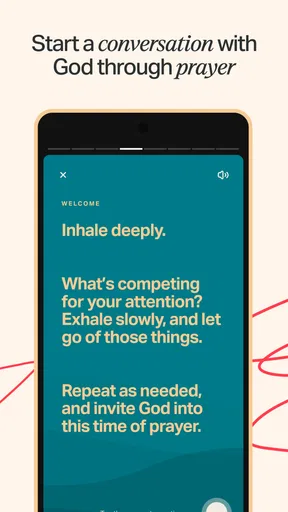
The YouVersion Bible App + Audio provides a comprehensive set of features including access to multiple Bible versions, audio Bible options for hands-free listening, daily devotionals, reading plans, and the ability to highlight and bookmark verses. It also offers community features like sharing verses with friends and participating in live events.
Is the YouVersion Bible App + Audio available offline?
Yes, the YouVersion Bible App + Audio allows you to download specific Bible versions for offline reading. However, audio features require an internet connection unless you pre-download the audio files. This offline functionality ensures you can access your favorite scriptures anytime, even without internet access.
How user-friendly is the interface of the YouVersion Bible App?
The YouVersion Bible App is designed with a user-friendly interface that caters to both beginners and experienced users. Its intuitive layout makes navigation through different sections easy, and features like search and bookmarking enhance the overall user experience. The app is continually updated to improve usability.
Does the YouVersion Bible App + Audio support multiple languages?
Yes, the YouVersion Bible App + Audio supports a wide range of languages, both for the app interface and for the Bible texts themselves. This includes popular languages like English, Spanish, Chinese, and many others. The extensive language support makes it accessible to a global audience.
Is there a cost associated with using the YouVersion Bible App?
The YouVersion Bible App + Audio is free to download and use. It does not require any subscription fees. The app operates primarily through donations, and users are occasionally encouraged to contribute. Despite being free, it provides a robust set of features without any advertisements.
